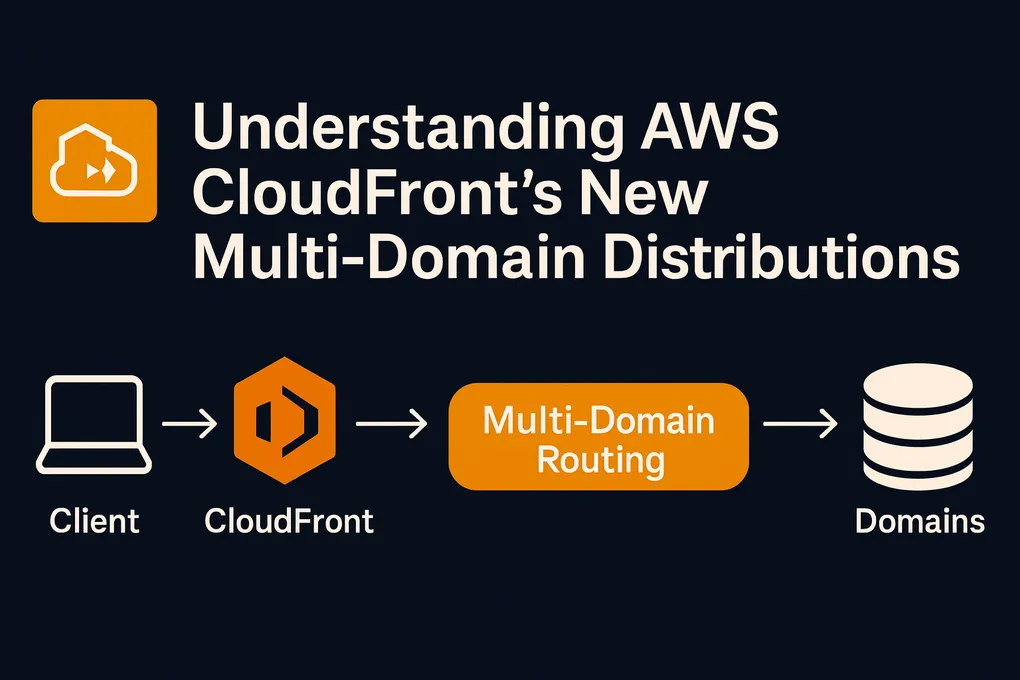
The New AWS CloudFront Experience: Multi-Domain Distributions, Flat-Rate Pricing, and a Much Simpler Workflow

CloudFront has always been one of those AWS services that you set up once and rarely touch again. It does its job.
But recently, AWS released a pretty big update to the CloudFront experience — new UI, new pricing model, new presets, and a much simpler flow when creating a distribution.
I noticed all these changes while creating another distribution manually in the console. We use a mix of CloudFormation and manual setups. This time, the new interface caught me off guard in a good way.
Here’s what’s new and why it actually helps a lot, especially for SaaS platforms that deal with multiple customer domains.
1. Multi-domain (multi-tenant) support — what SaaS actually needed
This is the feature I wish existed years ago.
Before, if you had a SaaS product serving multiple clients, each with their own custom domain, you usually had to create one CloudFront distribution per customer. That meant:
- One WAF config per customer
- One CloudFormation stack per customer
- And eventually hitting soft limits you didn’t even know existed
CloudFront has supported multiple origins for a long time, but it did not provide a clean or scalable way to manage many customer domains inside a single distribution.
Now CloudFront supports multi-domain, multi-tenant setups.
With the new multi-domain features, you still need a separate certificate for each customer domain (as expected), but you no longer need a separate CloudFront distribution for each one. You can attach all customer domains to a single distribution.
When we built our CMS with automated distribution creation, we had a meeting with AWS engineers to confirm 200-distribution-per-account was just a soft limit, and to check whether there was a better way to design it. At the time, there wasn’t.
Even after preparing and doing the homework, we still ran into random quotas like CloudFront Functions per account, cache policy counts, and header transforms — things you don’t even think about until AWS stops your deployment.
Being able to consolidate distributions removes almost all of those concerns.
This alone reduces:
- The number of AWS resources you manage
- WAF cost (charged per distribution)
- The amount of infrastructure code needed
- Quota increases and support tickets
- The general messiness of multi-tenant setups
This is a major improvement, and whenever time allows, I plan to migrate our current implementation.
2. Flat-rate pricing plans
CloudFront now has flat-rate monthly plans, and each one bundles CDN, security features, logging, DDoS protection, edge compute, and S3 storage into a single price.
AWS advertises these plans as having no overage charges, even though each plan shows a usage allowance (for example 125M requests / 50TB). According to the documentation, these allowances describe what each plan is designed to support. Even if usage goes beyond the listed allowance, billing does not automatically increase.
If the traffic spike comes from bots, scrapers, or a DDoS attack, CloudFront does not count that traffic toward the usage allowance.
You can see AWS’s pricing explanation here:
🔗 https://aws.amazon.com/cloudfront/pricing/
Pay-as-you-go vs flat rate
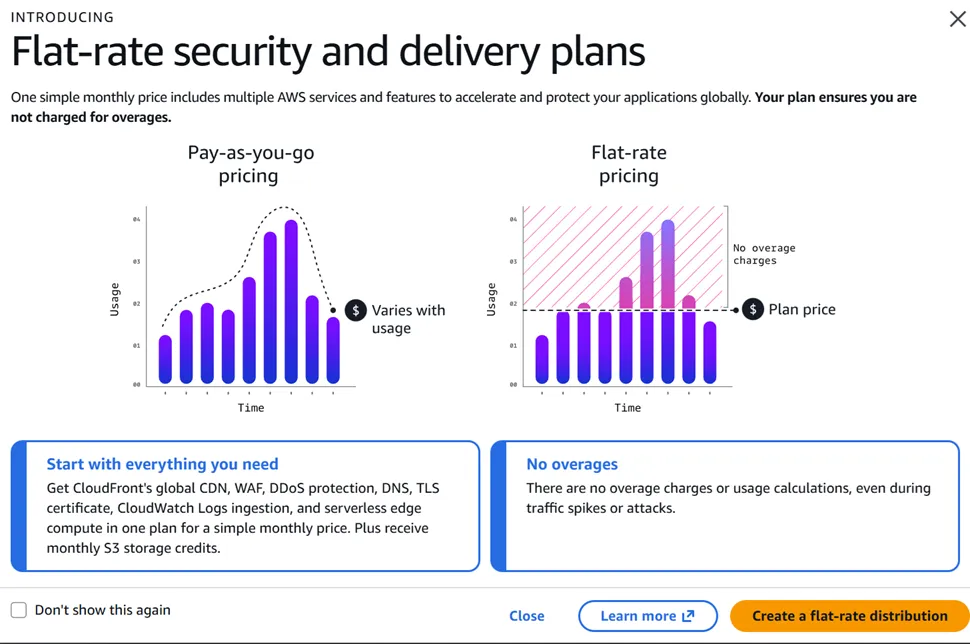
On the left, the traditional usage-based model.
On the right, a predictable fixed monthly cost that includes multiple services.
For SaaS companies with traffic spikes — onboarding waves, marketing pushes, seasonal demand — this makes costs much easier to reason about.
3. What the plans include
Here’s a quick overview of the plans.
Free tier
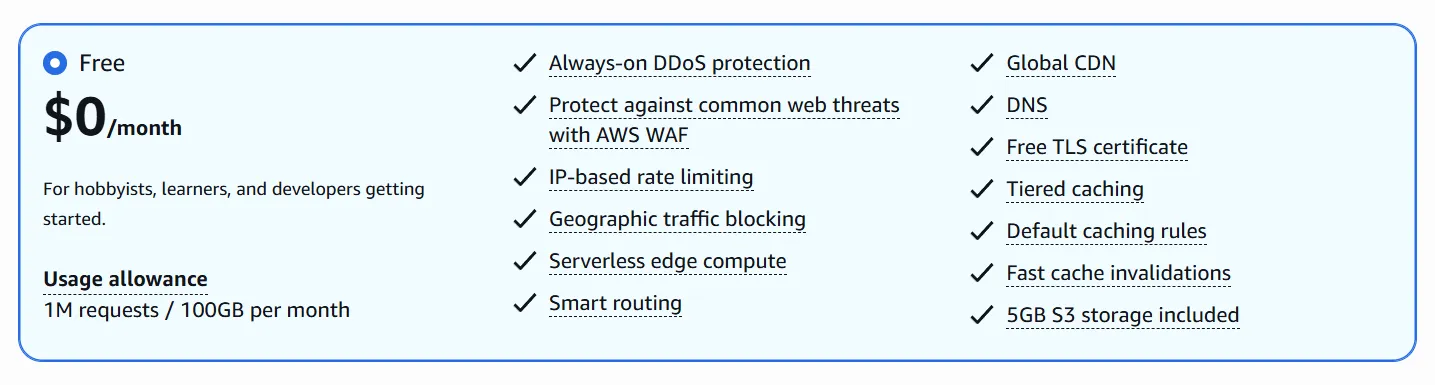
Suitable for side projects, internal tools, or testing environments.
It includes WAF, DDoS protection, TLS, geographic blocking, and 1M requests / 100GB per month.
Paid plans (Pro, Business, Premium)
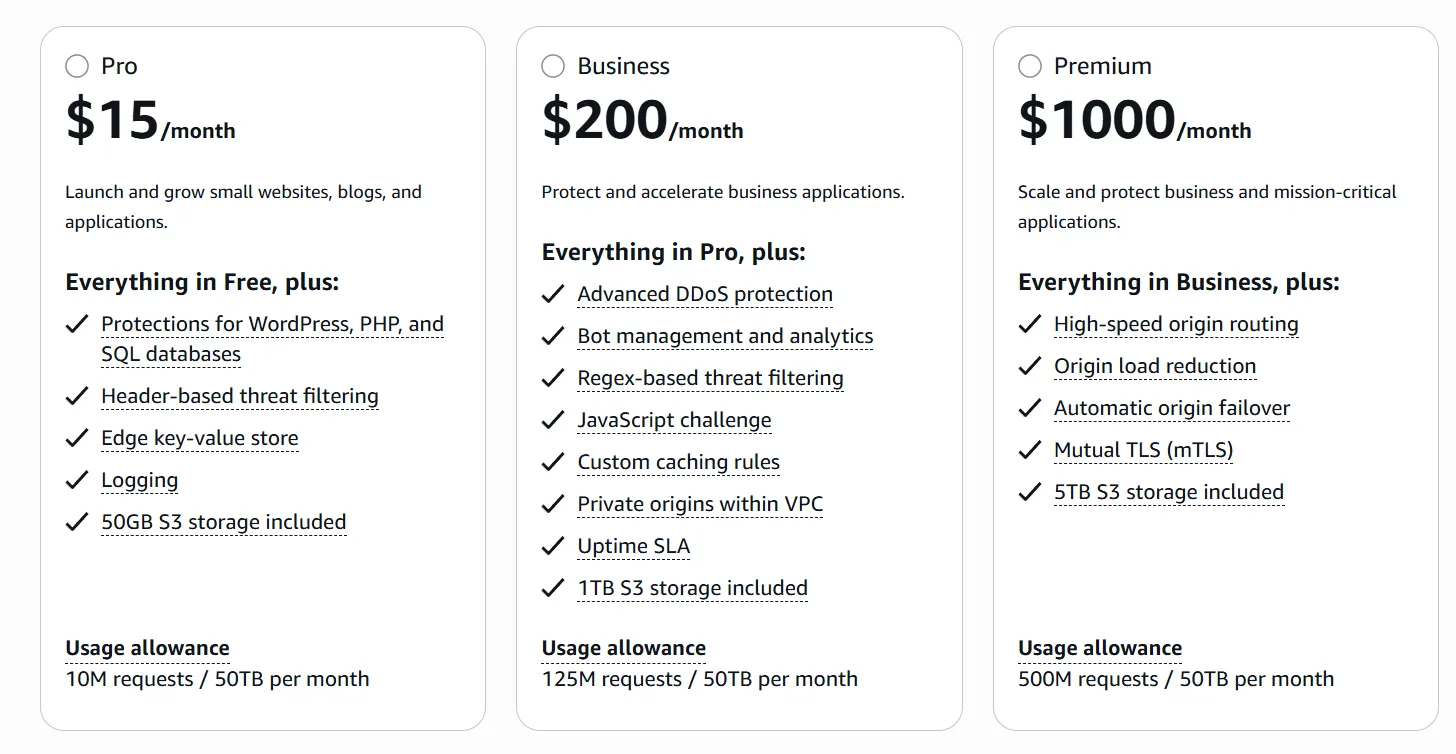
Here are the ones most SaaS teams will look at:
Pro – $15/month
- Threat protections for WordPress/PHP/SQL
- Key-value store at the edge
- Logging
- 50GB of S3 credit
A reasonable option for small production apps or low-traffic SaaS.
Business – $200/month
- Bot management
- Regex filtering
- JavaScript challenge
- Private VPC origins
- 1TB of S3 included
Likely the best fit for many SaaS platforms.
Premium – $1000/month
- High-speed routing
- Automatic origin failover
- Mutual TLS
- 5TB of S3 included
Geared toward high-traffic or compliance-heavy workloads.
4. Pay-as-you-go is still available

If your application pushes very large volumes of traffic or needs fine-grained cost control, the traditional model still makes sense.
For many SaaS workloads, though, the flat-rate plans are simpler and more predictable.
5. The new distribution creation wizard
The old CloudFront creation form was long and easy to mess up.
The new console replaces it with a wizard that is much easier to follow.
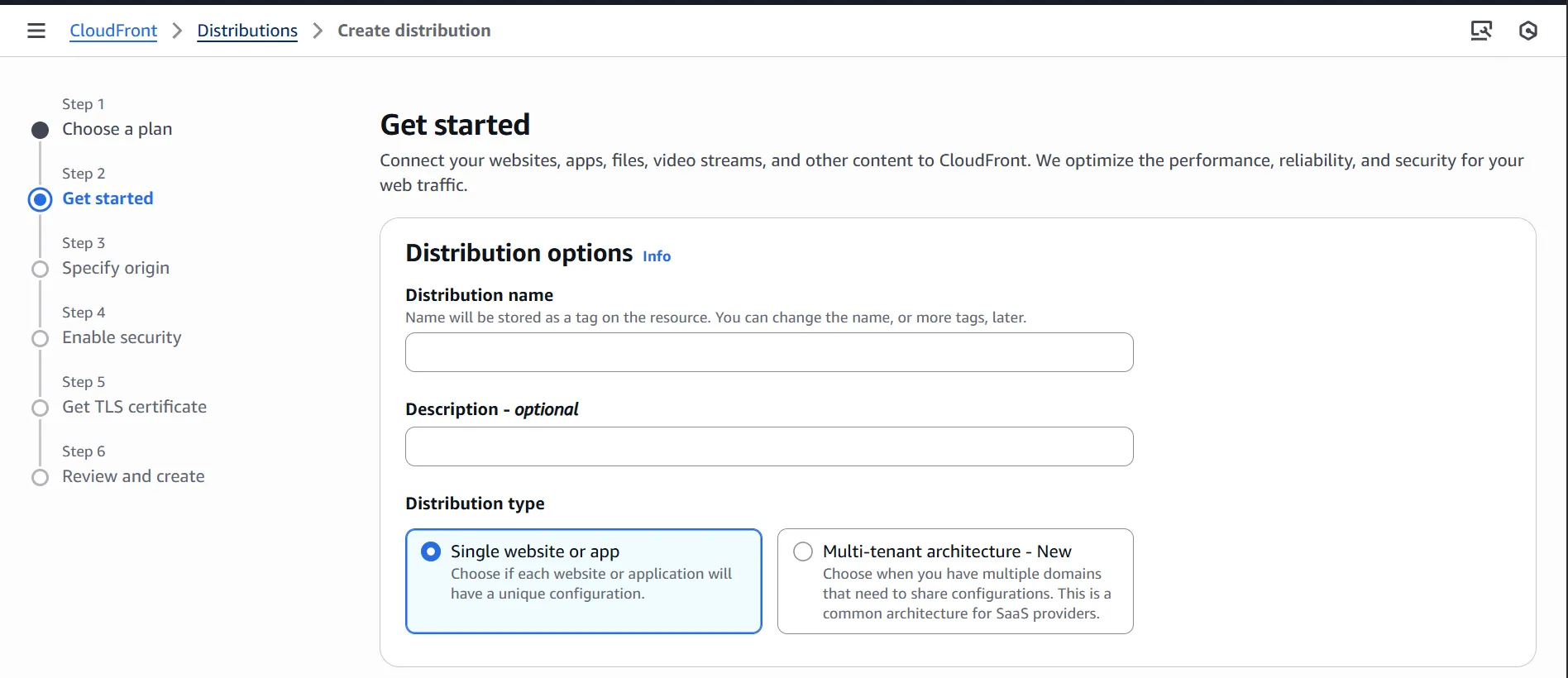
A few things that stood out:
5.1. Automatic certificate creation
Previously, I would start creating a distribution, realize I forgot to create the certificate, open ACM in another tab, request it, add DNS records, wait for validation, refresh CloudFront — not great.
Now the wizard asks if you want to create the certificate, adds the DNS validation record automatically, and the certificate is usually ready in under a minute.
5.2. Automatic OAC permissions
The wizard now creates the Origin Access Control and updates the S3 bucket policy automatically.
No copy/paste, no JSON edits, no guessing.
5.3. Multi-tenant support
CloudFront now includes an explicit Multi-tenant architecture option when creating a distribution. This allows multiple domains to share a common configuration, while each domain still has its own certificate.
This reflects real SaaS setups where many customer domains are backed by shared infrastructure. Previously, this required more manual setup using DNS, certificates, and infrastructure code.
6. What this means for SaaS architecture
Our old setup:
- One distribution per customer
- One CloudFormation stack per customer
- Multiple quotas to watch
- Extra WAF charges
The new setup:
- One distribution
- Many customer domains
- One WAF configuration
- Much simpler deployments
- Lower operational overhead
Not only does this reduce cost and noise — it also removes the constant worry about hitting some random AWS quota.
I plan to migrate our setup to a single-distribution architecture as time allows.
7. Key takeaways
- CloudFront’s recent updates are genuinely useful, not just cosmetic.
- Multi-domain support simplifies CDN architecture for SaaS platforms.
- Flat-rate plans make costs easier to predict and include security features by default.
- Traffic blocked by WAF, Bot Control, or DDoS protection doesn’t count toward plan usage.
- The new creation wizard removes several manual steps.
- Managing dozens or hundreds of distributions is no longer required for some SaaS use cases.
CloudFront’s updates make the service easier to work with, especially for SaaS setups that previously required many distributions.
Next time, I’ll compare CloudFront Functions and Lambda@Edge — something else that changed recently and matters for multi-tenant setups.